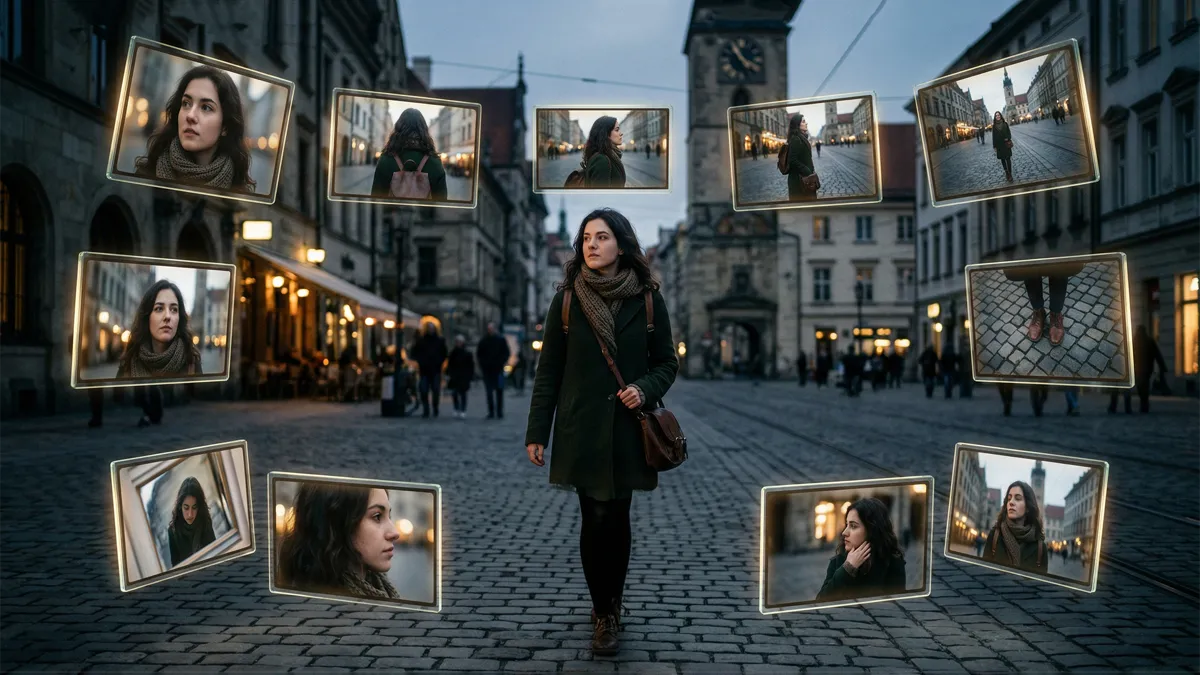
Angles 2.0
Generate different viewing angles from a single image with precise camera control to show products from every side.
Angles 2.0
Generate different viewing angles from a single image with precise camera control to show products from every side.
Angles 2.0
Generate different viewing angles from a single image with precise camera control to show products from every side.
Remix area

No shared posts yet.
AI Angles v2: Updated Multi-Angle Image Generation
Aitopia's AI Angles v2 is the updated version of the original AI Angles agent - improved consistency across angles, better handling of complex subjects, and expanded angle range. Generate multiple viewpoints of any subject from a single source with stronger results than the original. Built for content creators, designers, and anyone needing consistent multi-angle output for products, characters, or scenes.
What Is AI Angles v2?
AI Angles v2 is the iterative update to the original AI Angles agent. Where v1 handled basic multi-angle generation, v2 brings improved consistency between angles, expanded angle options (more than just standard four-angle sets), and better handling of complex subjects (asymmetric products, detailed characters). Strong default for new multi-angle work.
How It Works
Three steps to multi-angle output with v2.
1. Upload Source Image
Drop in any subject - product, character, scene element. Strong source images produce strongest multi-angle output.
2. Select Angle Set
v2 supports expanded angle options - standard 4-angle, extended 8-angle, custom rotation steps. Pick what your project needs.
3. Generate Angle Set
Output is consistent multi-angle imagery with v2's improved coherence across views.
Common Use Cases
Product photography expansion. Improved consistency makes v2 suitable for production e-commerce angle sets.
Character design for animation. Better complex subject handling supports character design workflows needing reference angles.
3D modeling reference. Multi-angle output as reference for 3D modeling artists working from concept art.
Sculpture and craft reference. Reference for sculpture, woodworking, and craft work needing multi-angle subject understanding.
Why Choose AI Angles v2
Improved consistency over v1. Subject identity and details preserved more reliably across angles.
Expanded angle options. More than standard 4-angle - extended 8-angle and custom rotations supported.
Complex subject handling. Asymmetric products and detailed characters render more reliably than in v1.
Tips for Best Results
- Use v2 as default for new multi-angle work; v1 only for established workflows.
- Strong well-lit source images produce strongest v2 output.
- For very symmetric products, v1 may suffice; v2's advantages apparent on complex subjects.
- Generate extended angle sets when 3D-style reference matters.
- Pair with the upscaler for high-resolution multi-angle final output.
Try AI Angles v2 Now
Try the updated multi-angle generator. Aitopia's AI Angles v2 delivers consistent multi-view output - free to try, improved over original.
Frequently Asked Questions
- Should I always use v2 over v1?
- For new work, generally yes. v2 is the recommended default.
- What's better in v2 specifically?
- Cross-angle consistency, complex subject handling, extended angle options.
- How does it compare to Product Angles Generator?
- Different focus. Product Angles is e-commerce-specific. AI Angles v2 is general-purpose multi-angle.