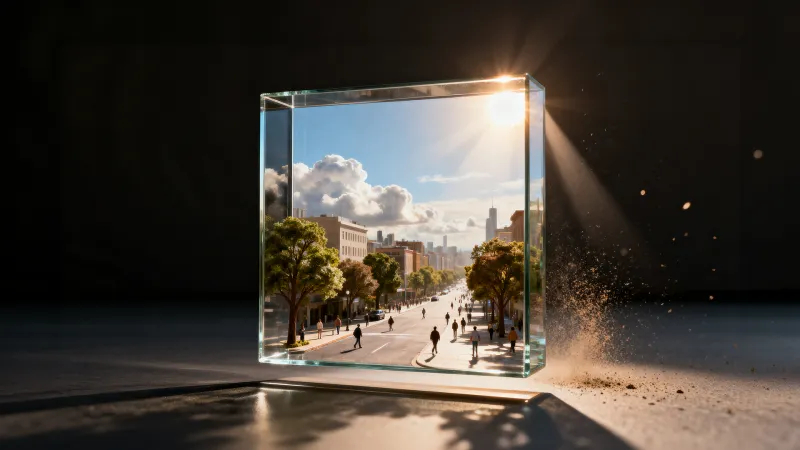
Scene Generator
Generate full scenes with multiple elements and cohesive composition for storyboards or pitch-deck visuals.
Scene Generator
Generate full scenes with multiple elements and cohesive composition for storyboards or pitch-deck visuals.
Scene Generator
Generate full scenes with multiple elements and cohesive composition for storyboards or pitch-deck visuals.
Remix area

No shared posts yet.
AI Scene Generator: Create Detailed Scenes from Text Prompts
Aitopia's AI Scene Generator builds complete, detailed scenes from a text prompt - realistic landscapes, cozy interiors, epic fantasy worlds, cyberpunk cities, cinematic moments. Type what you want to see, and the model handles composition, lighting, atmosphere, and detail. Built for backgrounds, environment art, world-building, and any project where setting matters.
What Is the AI Scene Generator?
An AI scene generator is a model tuned to produce complete environments rather than isolated subjects. Where a portrait model focuses on a face, a scene generator builds the world - sky, terrain, structures, lighting, atmosphere - all coherent. Useful for backdrops, world-building, and any project where the environment is doing as much work as the subject.
How Aitopia's AI Scene Generator Works
Three steps from prompt to fully realized scene.
1. Describe the Scene
Detail the location, time of day, weather, and mood. "A misty pine forest at dawn, soft golden light filtering through tall trees" beats "forest."
2. Pick Style and Aspect Ratio
Choose photorealistic, painted, illustrated, or stylized. Set aspect ratio for the use case - wide for desktop wallpapers, tall for mobile, square for social.
3. Generate and Refine
Iterate on the prompt to get the exact mood. Pair with character creator outputs to populate the scene with your characters.
Common Use Cases
Game environment concept art. Game designers use the scene generator to visualize levels, biomes, and locations before building them in production tools.
Story and novel cover art. Authors generate atmospheric covers and chapter illustrations that match specific scenes from their writing.
Marketing and brand backdrops. Brands need backgrounds for product placement, social campaigns, and lifestyle imagery - all without location shoots.
Wallpapers and personal decor. Personalized desktop and phone wallpapers, framed wall art, and custom prints from generated scenes.
Why Choose Aitopia's AI Scene Generator
Coherent environment generation. Sky, light, terrain, and structures all consistent. The scene reads as a real place, not a collage.
Style range. Photoreal landscapes to painted fantasy to anime backgrounds - same prompt, different aesthetic, your choice.
Connects to character workflow. Pair with the character creator to drop your characters into matching environments - full storytelling visualization.
Tips for Better Results
- Time of day and weather are the strongest mood drivers - describe them clearly.
- For fantasy scenes, mention specific biomes and structures - "floating mountain temple" beats "magical place."
- Photoreal landscapes benefit from camera language - "shot on 35mm film, golden hour, deep focus."
- Generate at wide aspect ratios for environment work; tall ratios for portrait-context backdrops.
- Pair with the upscaler for print or large-display use.
Try the AI Scene Generator Now
Skip the scouting trip. Aitopia's AI Scene Generator builds rich, coherent environments from text - for stories, games, or wallpapers, free to try.
Frequently Asked Questions
- Can I add specific characters to a scene?
- Generate the scene first, then composite or use scene-with-character prompts. The character creator preserves character identity better.
- Does the scene generator handle interior spaces?
- Yes - interiors, exteriors, fantasy and realistic settings all work.
- What resolution can I expect?
- Web-ready by default. Use the upscaler if you plan to print or display at very large sizes.